Customer portal
Customers see the work that affects their devices.
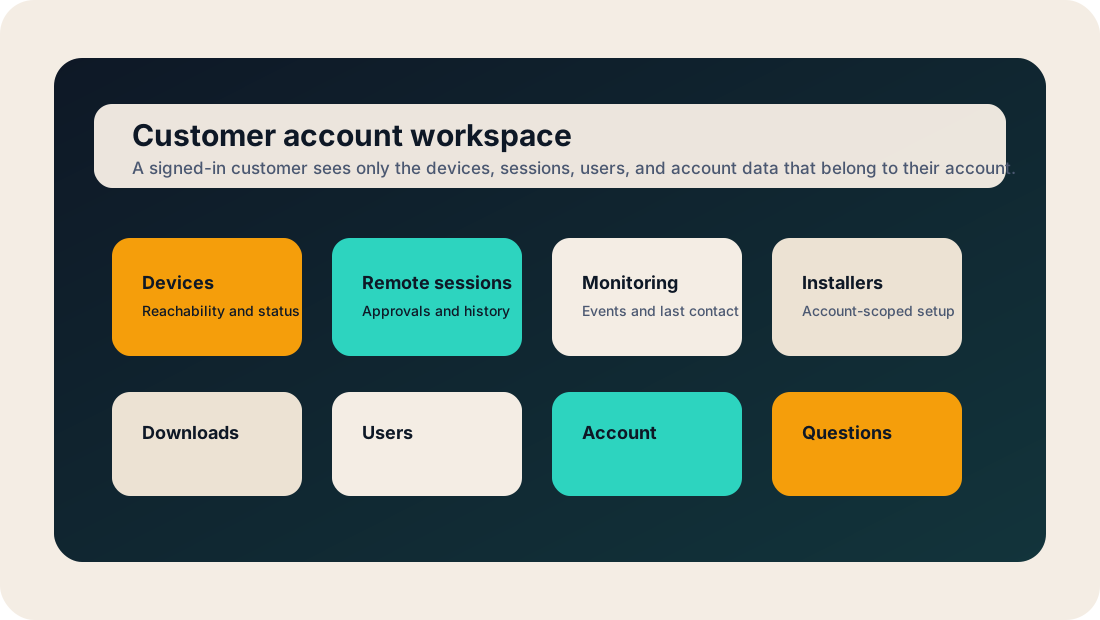
Front Desk gives account users a portal for status, access approvals, installers, users, downloads, monitoring, and account questions. It is not only an operator console hidden from the people who own the devices.
Shared visibility
A customer-facing workspace, not just a support tool.
Remote access tools usually focus on the technician. Front Desk keeps the customer side visible too, so approval, history, reachability, and setup material live in one place.
Devices
Customers can see which devices belong to the account, when they last checked in, and whether they are reachable.
Remote sessions
Pending approvals, approved sessions, rejected requests, and session history are part of the account record.
Monitoring
Account-scoped events help customers understand what the device reported without opening internal operator tools.
Installers
Account-scoped installers and activation paths move behind login instead of being scattered through email.
Users
Portal users can be invited, disabled, and mapped to the right customer account without owning Front Desk passwords.
Questions
The customer assistant answers from public product knowledge and account-focused material after sign-in.
Customer requests
Housekeeping becomes a visible request, not a hallway note.
The portal is the right place to ask for routine work: pull logs, queue an update, check a device, review a failed install, approve access, or help add another user.
- 1Customer asks
A request starts from the account page, device page, or remote-session page.
- 2Front Desk routes it
The request lands in employee operations with the account, device, and requested action already attached.
- 3Employee acts
Support performs the work with the right tenant/account context and confirmation gates.
- 4Customer sees history
The account keeps a record of what was asked, what happened, and when it finished.
The portal opens with the application.
Until then, the public marketing site keeps the product tour available and sends app links to the Q3 release page.