
Front Desk · Secure remote operations for field devices
Remote access for devices that should not be exposed to the internet.
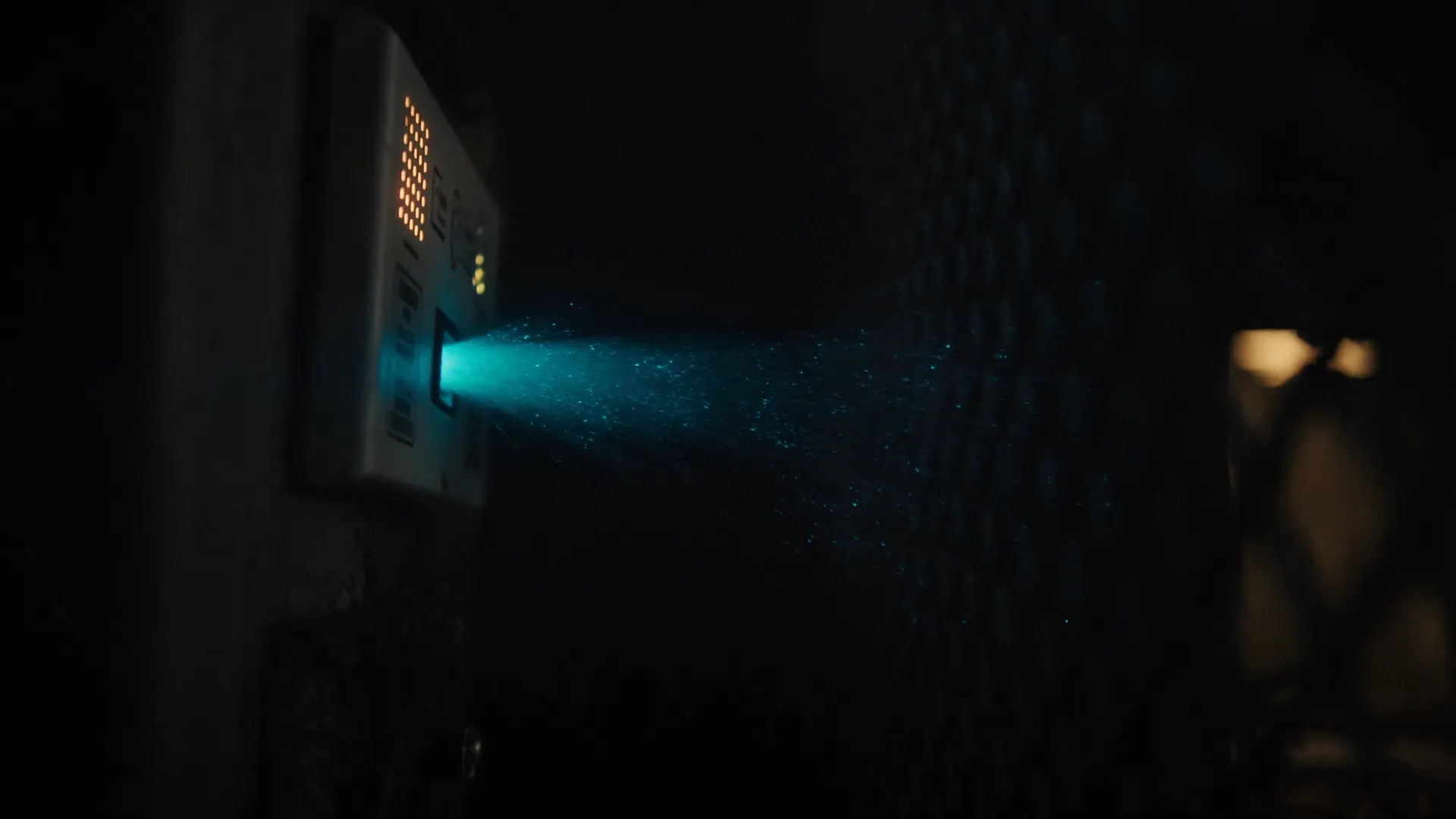
Kiosks, cash machines, safes, signage, Windows PCs, Linux boxes, small boards in the field. Your devices call out. Your team connects through Front Desk — approved, logged, and limited to the session.
02 — How it works
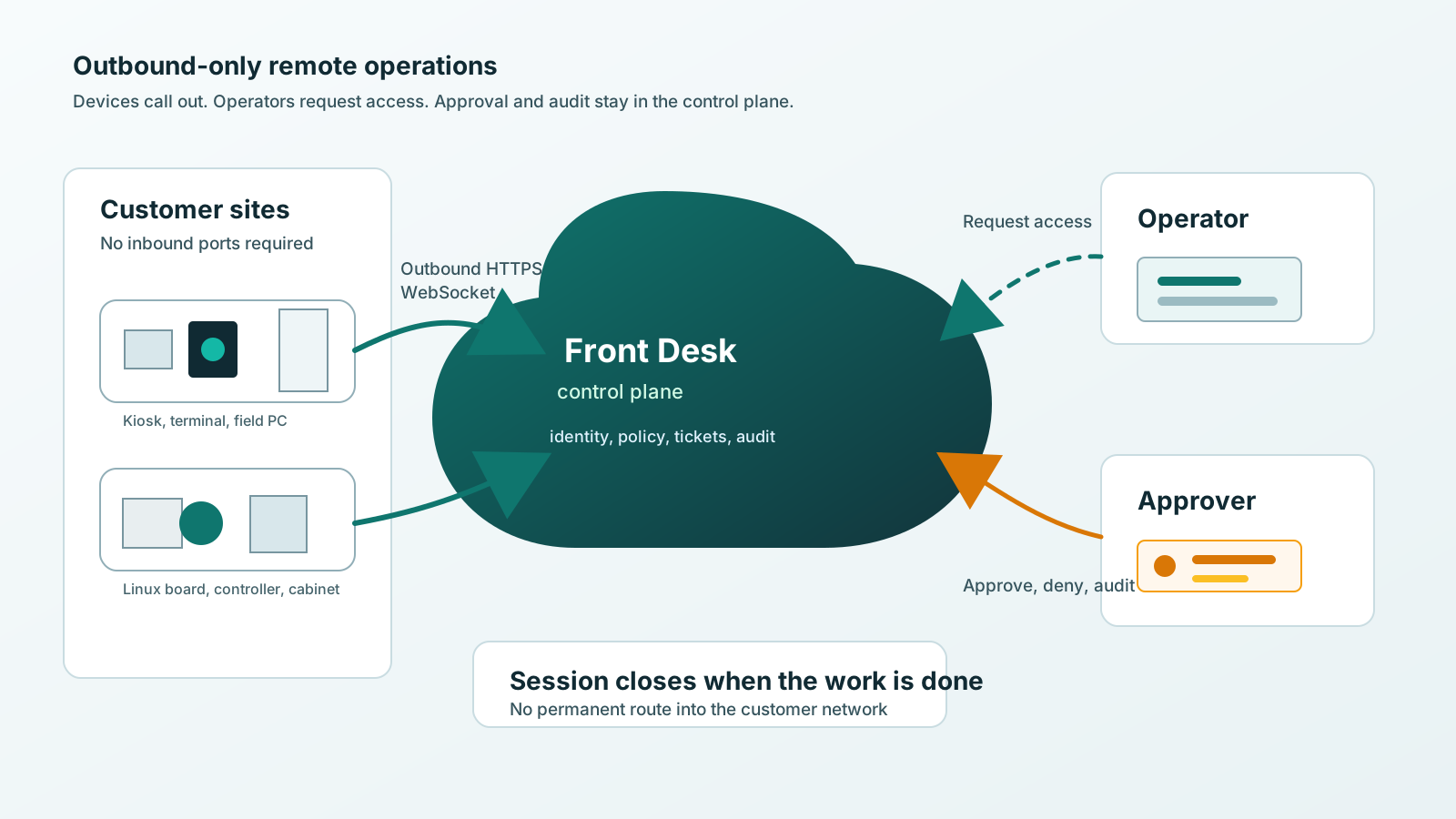
The device calls out.
Nothing calls in.
Inside your own office, remote access is easy. Field devices are different — they live behind customer firewalls, store routers, and networks someone else owns. Front Desk changes the direction of trust.
-
1
Allow outbound
The device makes outbound contact to Front Desk. Inbound ports stay closed. The site firewall stays untouched.
-
2
Request access
Your operator asks for a session through the web portal — identity-bound, scoped to that device.
-
3
Approve when required
A customer contact, store manager, or your own desk can approve or deny the attempt before it starts.
-
4
Work the session
GUI session, terminal, local admin page, logs, file transfer, commands, diagnostics — whatever the account enables.
-
5
End it
The session closes. The access path disappears. The audit record stays.
03 — Built for your fleet
Hundreds of devices.
Someone else's networks.
You may own the device and the support responsibility — but someone else owns the network it sits behind. Front Desk is built for exactly that arrangement, at fleet scale.
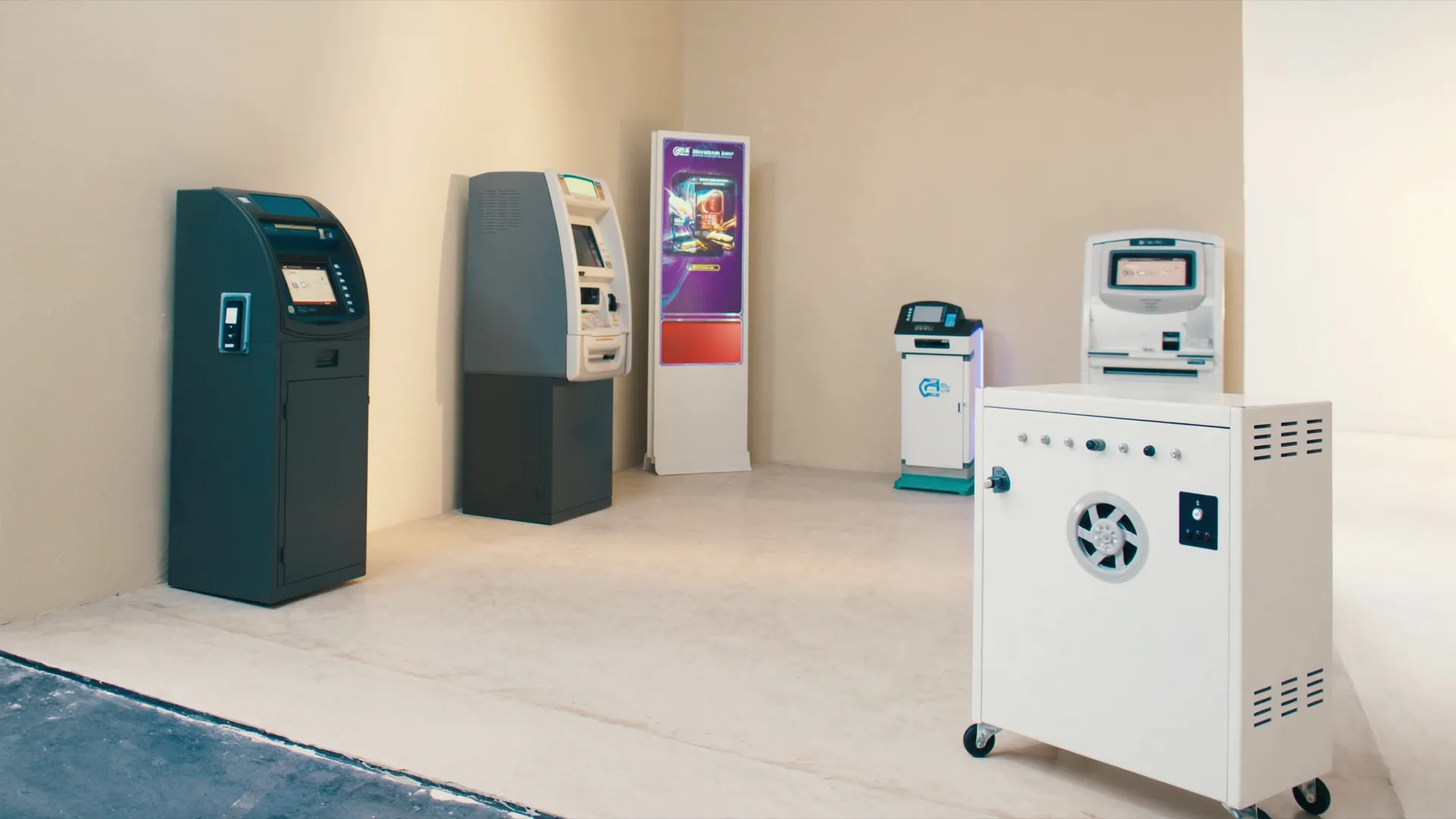
Kiosks & self-service
Ticketing, ordering, check-in — screens that support needs to see without a truck roll.
Cash machines & terminals
ATMs, payment terminals, time-delay safes — devices that must never be public servers.
Digital signage
Players mounted in ceilings and cabinets, at sites with a different network every time.
Rental equipment
Controllers that wake, check in over Wi-Fi, report usage, and sleep again.
Industrial & lab
Test rigs and controllers in facilities where inbound access is simply not negotiable.
OEM devices
Hardware you ship into customer facilities — supported by you, hosted by them.
Device support
Windows, Linux, embedded, and custom hardware. We support it.
Front Desk connects mixed fleets from full Windows PCs to low-memory embedded boards. When a platform needs an agent port, board bring-up, OS integration, image packaging, or a custom connector, our team delivers it as part of the deployment.
Operating systems and images
- Windows 11
- Windows 10
- Windows 8.1 Embedded
- Linux distributions
- Yocto-built images
- Custom OS images
Hardware and architectures
- Windows PCs
- ARM boards
- TI and NXP families
- Orange Pi
- RISC-V
- Low-memory devices
Integration included
- Agent and connector development
- Board bring-up
- OS integration
- Image packaging
- Remote access integration
- Testing and rollout
Bring us the device, image, and access requirements. We make Front Desk work with the platform and keep the deployment supportable.

Your devices stay private. Your team still gets in.

04 — On guard
Every session is
a business event,
not an open port.
Wherever a device sits on the planet, it stays private behind its firewall — and your team can still reach it from one place, on the record.
No open inbound ports
Sites only allow outbound traffic to approved Front Desk domains.
Controlled sessions
Access is identity-bound, scoped to the device, and limited to the session.
Human approval
Sessions can require a person to approve or deny the attempt first.
Audit trail
Approved, denied, observed, ended — every access attempt leaves a record.
05 — Customer view
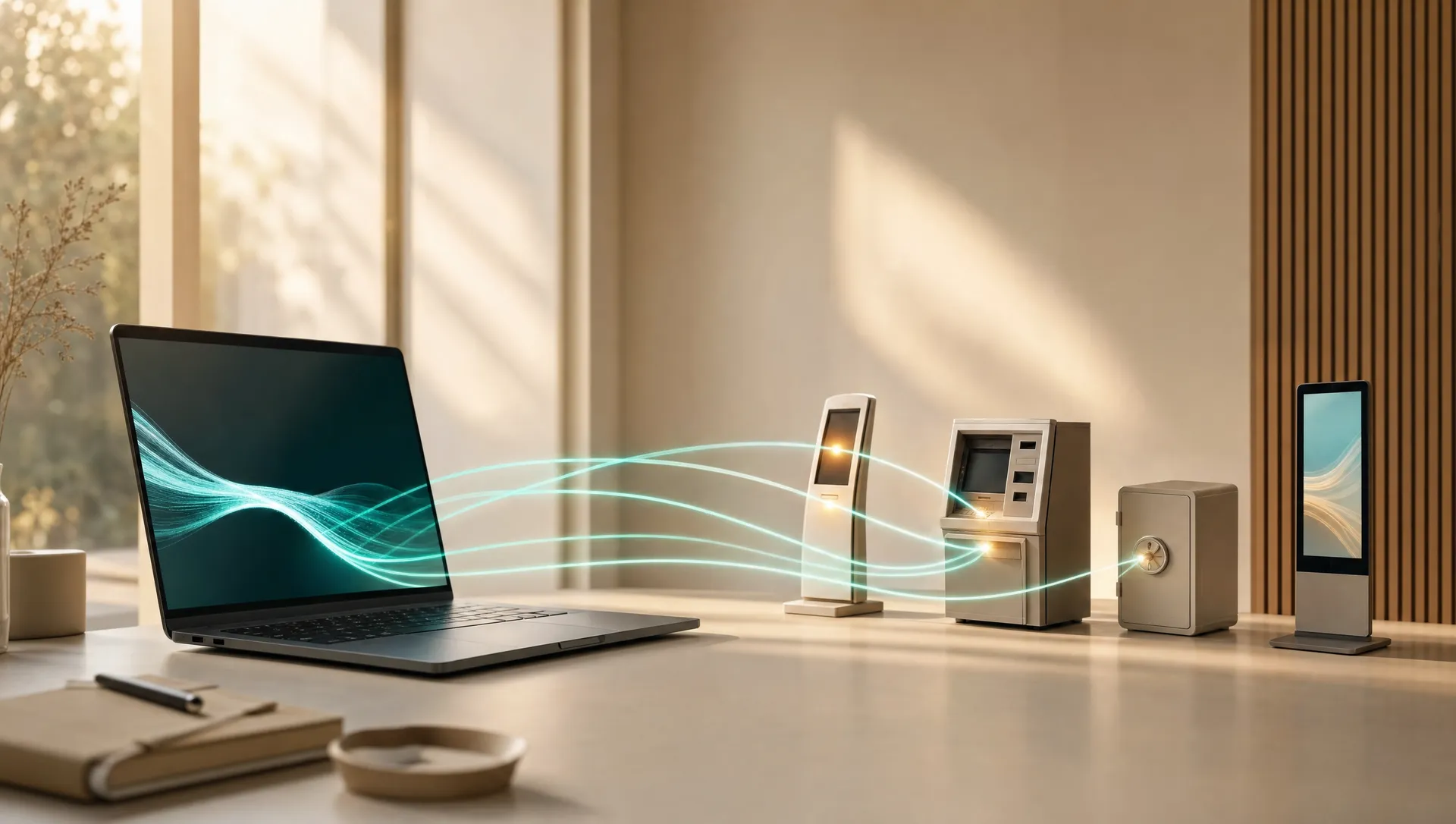
Keep your device fleet visible, even when every device lives somewhere else.
The Front Desk customer portal brings device status, access approvals, installers, monitoring, users, and support history into one account-scoped view.
- GUI session
- Terminal
- Local admin page
- Logs
- File transfer
- Commands
- Diagnostics
- Fleet installers
Devices that sleep are first-class citizens: a low-power board can wake, check in, report status or usage, take supported actions, and sleep again. The portal always shows last contact and whether a device is reachable right now.
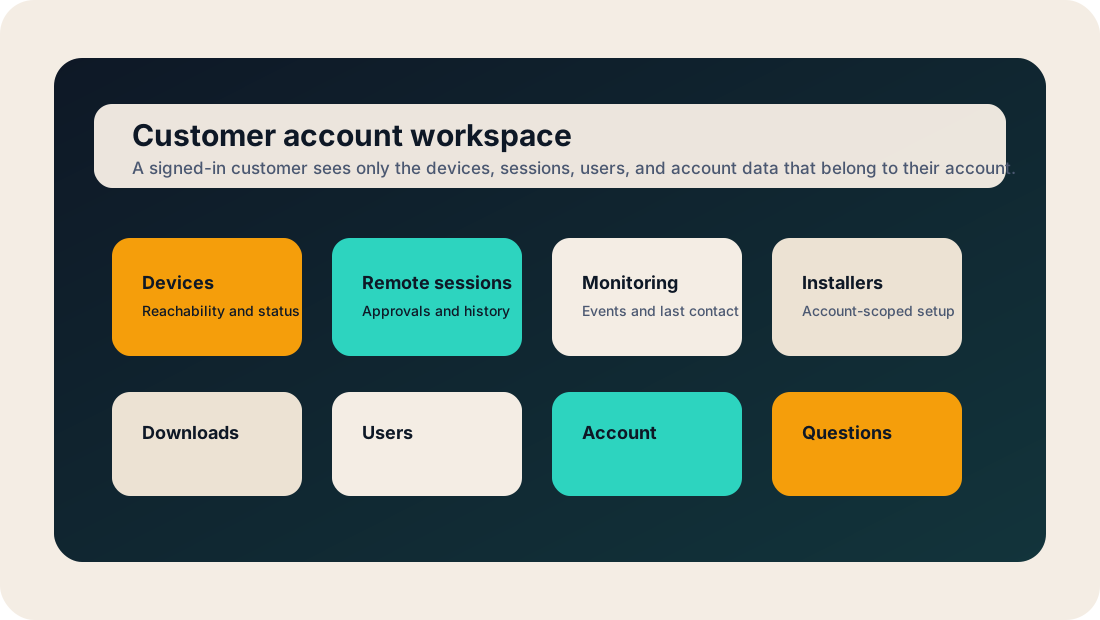
Shared visibility
The information customers and support teams need, in one place.
Know what is installed, what is reachable, who requested access, and what happened during the work without rebuilding the story from email and separate support tools.
Devices
See which devices belong to the account, when they last checked in, and whether they are reachable.
Access approvals
Review pending requests and keep approved, rejected, and completed sessions with the account record.
Monitoring
Account-scoped events show what a device reported and when it last made contact.
Installers
Keep account-specific installers and activation steps behind sign-in instead of scattering them through email.
People
Give the right customer contacts access to the right account without sharing support credentials.
Questions
Start with public product guidance, then use account context after sign-in when a question is specific to your fleet.
Support requests
Start with the device and keep the history attached.
A support request starts with the correct account and device, so everyone can see what was requested, why it matters, and what happened next.
- 1Start a request
Choose the account, device, or remote session that needs attention.
- 2Keep the context
The device, reason, requested action, and account policy stay attached to the work.
- 3Authorize the work
The right support user acts after any required approval or confirmation.
- 4See the result
The account keeps a record of what was requested, what happened, and when it finished.
06 — Why Front Desk
Remote access built around the device, the customer, and the session.
Front Desk gives support teams a controlled path to field devices behind customer networks. It combines outbound-only connectivity, customer-visible approval, device context, and session history without replacing the tools you already trust.
A focused role
The operational layer between a support request and the device.
Remote desktop opens a screen. Network tools connect environments. Fleet tools manage endpoints. Front Desk focuses on the moment your team needs to understand, approve, and work on a specific field device.
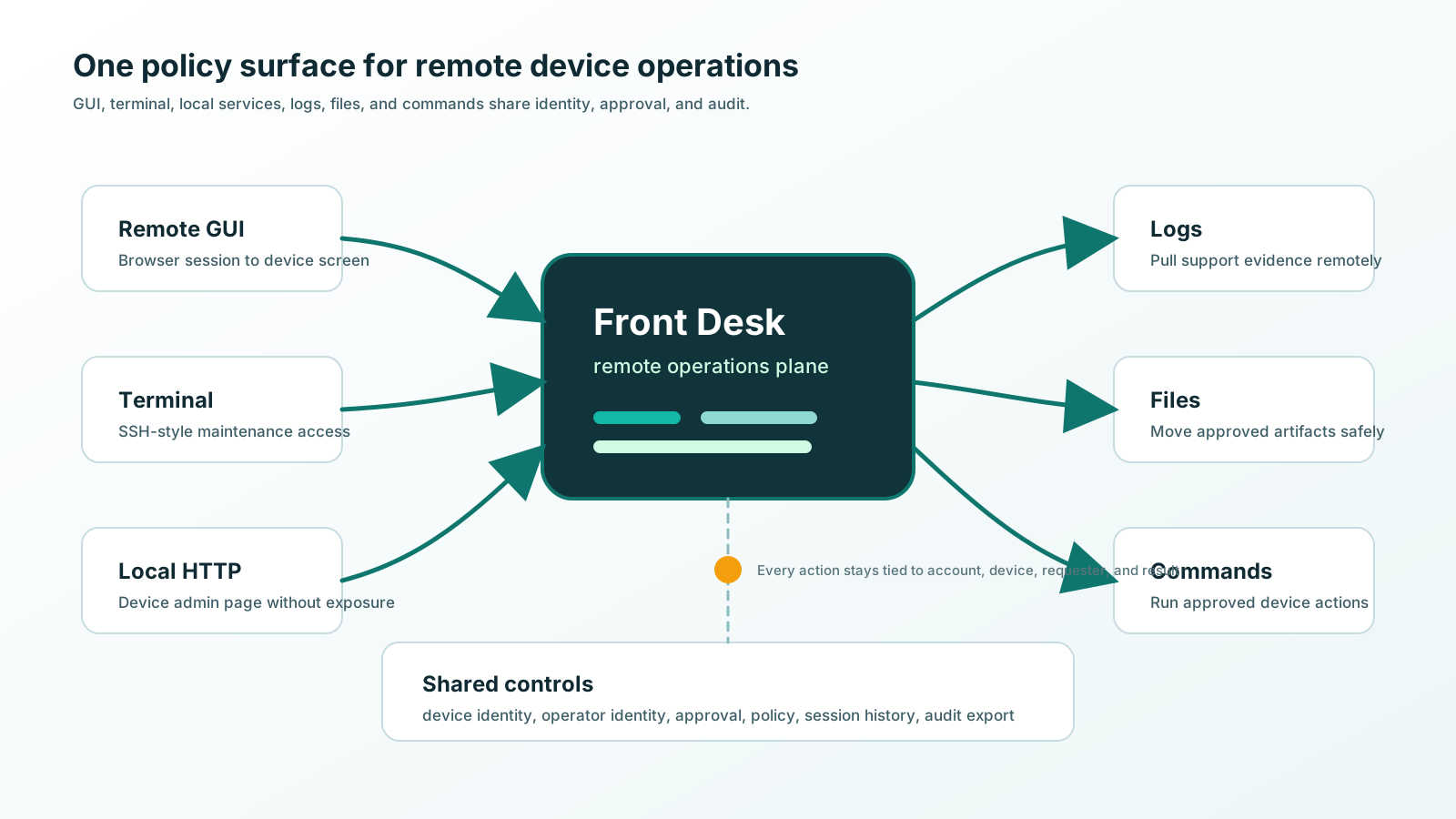
Where it fits
Front Desk complements the rest of your technology stack.
Security posture
A smaller access path is easier to explain and govern.
Devices initiate outbound connections. Users sign in through the portal. Access can be scoped, approved, and recorded. Front Desk complements your identity, vault, monitoring, and ticketing tools instead of asking you to replace them.
- Outbound-only devices
- No inbound site ports
- Identity-bound access
- Customer account isolation
- Optional approval
- Scoped sessions
- Session history
- Integration-friendly
07 — Questions
Ask us anything.
The public answers live here. The application Q&A assistant opens from front-desk.com with the Q3 release.
Ask the Front Desk AI
A question we did not answer below?
Browse the public answers here today. As release access opens, the Front Desk application will add guided answers based on product documentation and your account context.
Custom work
Need it to fit your systems?
We do the work around Front Desk too. Our staff writes, tests, and integrates custom software for small Linux boards, Windows and Linux machines, and the systems you already run, then wires it into Front Desk.
- Embedded Linux and board bring-up
- Windows and Linux device software
- Your website or customer portal
- Your back-office and internal systems
- Your APIs, ours, and the glue between
- Front Desk integration end to end
- Testing and rollout
Tell us what the device has to do and what it has to talk to. We scope it, build it, test it, and hand it over working.
The full list
Asked, answered.
Does Front Desk require inbound firewall ports?
No. The model is outbound-only from the device to Front Desk. The site does not open inbound VNC, SSH, RDP, or admin ports.
Is Front Desk a VPN?
No. Front Desk is a controlled remote-access path for specific devices and services, narrower than a VPN by design. VPNs join networks; Front Desk reaches devices.
Is it just remote desktop?
No. Remote GUI is one access mode. Front Desk covers GUI sessions, terminal access, local HTTP admin pages, logs, file transfer, commands, diagnostics, approval, and audit.
Why not just use a screen-sharing tool?
Those tools work for office users and attended support. Front Desk is built for fleets of devices installed in many places, usually with no one sitting at the keyboard.
Why not just expose VNC or SSH?
Then the device becomes a public server, with the patching, password, and firewall exposure that brings. Front Desk keeps the device private and reachable by the people responsible for it.
Is it an IoT platform?
No. Front Desk complements telemetry, billing, monitoring, and RMM systems as the secure device contact path they can rely on.
Will it work behind a customer's firewall?
Yes. The customer network normally only needs to allow outbound traffic to approved Front Desk domains. No inbound rules, address planning, or site-to-site VPN project is required.
What can I connect to?
Front Desk supports GUI access, terminal access, local HTTP services, logs, file transfer, commands, diagnostics, and account-scoped installers.
What operating systems and boards does Front Desk support?
Front Desk supports Windows 11, Windows 10, Windows 8.1 Embedded, Linux distributions, Yocto-built images, ARM boards, TI and NXP families, Orange Pi, RISC-V, low-memory devices, and custom OS images. Our team handles the agent, board, OS, packaging, testing, and rollout work needed for the deployment.
Can a customer approve access?
Yes. A customer contact, store manager, supervisor, or support lead can review who is asking and for which device, then approve or deny access before the session starts.
What if the device is offline?
Then no live session is possible, and that is visible. The portal shows last contact time and current status so support knows whether the device is reachable.
What about devices that sleep or connect only sometimes?
If a device can wake and make outbound contact, it fits. A low-power controller can check in, report status or usage, receive supported actions, and sleep again.
Can it help with rental-equipment billing?
Yes. A rental controller can report usage time or activity windows when it checks in. Front Desk provides the secure contact path and reported device data that a billing system can use.
Can it support ATMs and cash machines?
Yes. Front Desk supports cash machines, kiosks, field terminals, and other customer-premises devices while keeping their remote access paths private.
Is Front Desk zero trust?
Front Desk uses a zero-trust-style access model: authenticate the device, authenticate the user, avoid broad network trust, scope access to the session, and make access visible. This is an access model, not a formal certification claim.
Is this only for businesses?
No. Businesses with remote device fleets are the primary audience, but individuals and small teams can use it for remote machines or boards where opening ports is not acceptable.
Can you write custom software for our devices?
Yes. We do embedded Linux and board bring-up, device software for Windows and Linux, Front Desk integration, testing, and rollout. Tell us what you need.
Can Front Desk integrate with our website, systems, or API?
Yes. We build and test integrations with websites, customer portals, back-office systems, and existing APIs rather than leaving that work to your team. Start a conversation.
Different question? Ask the Front Desk team.
08 — About
The desk behind
the devices.
Front Desk exists for one reason: the machines a business depends on are usually installed on networks it does not control, and they still deserve a guardian.
What Front Desk is
Reach without exposure.
Front Desk is a secure remote-operations platform for field devices: kiosks, cash machines, signage, controllers, and small boards deployed into stores, branches, clinics, plants, and customer sites. Devices make outbound contact to Front Desk; nothing on the site has to accept an inbound connection.
Operators work through one web portal: request a session, get approval when policy requires it, do the work through GUI, terminal, local admin page, files, logs, or commands, and end it. Every access attempt is identity-bound, scoped, and recorded.
Why the panther
Quiet. Watchful.
Always on guard.
The black panther is our shorthand for what Front Desk does all day: patrol the perimeter without opening the gate. It only lets the right people through while the devices it protects stay private behind their own walls.
When you see the panther, that is the promise: your fleet is watched over, your team can reach it, and nothing about it is exposed to the internet.
Talk to us.
Questions, early access, or a fleet to bring in from the cold.
 Front Desk is a production of MYPSoft LLP.
© 2026 Front Desk. All rights reserved.
"Front Desk," the amber-eyes mark, and the panther guardian imagery are brand assets of Front Desk. All other product names, logos, and brands are property of their respective owners and are used for identification purposes only. Front Desk supports multiple platforms and configurations through packaged software and customer-specific engineering. Deployment details are confirmed during onboarding.