Employee operations
The internal desk for customer device work.
Employees need more than a remote-control button. They need account context, confirmation-gated actions, installer queues, diagnostics, file work, and a way to see both the customer view and the internal state behind it.
Housekeeping workspace
Support work stays tied to the right customer.
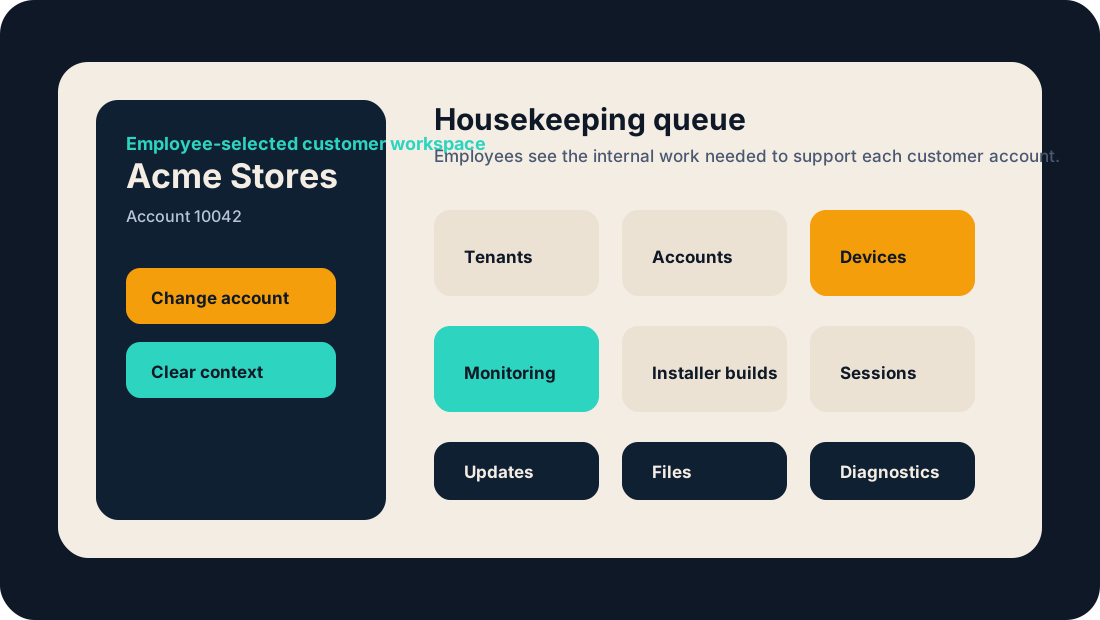
Employee operations is where Front Desk keeps the support team from working blind. A selected customer workspace gives employees tenant/account context before they act.
Admin explorer
Browse tenants, accounts, devices, and portal users from one employee-only workspace.
Accounts
Handle limits, certificate policy, approval rules, and account records with audit history.
Installer builds
Queue and revoke account-scoped installers without sending generic packages around by email.
Remote sessions
Review pending access, approve or reject requests, and open the right session path.
File transfers
Move files through the product path instead of ad hoc shared folders or exposed services.
Diagnostics
Inspect stuck work, known streams, operations, and device-side evidence from one place.
Why this competes
Remote access plus the work around it.
Low-cost remote desktop tools can start a session. Full RMM products can run a large MSP console. Front Desk should win where the account, customer approval, installer, device history, and support request all need to line up.
- Account context
- Tenant isolation
- Confirmation gates
- Portal user work
- Installer queue
- Session approvals
- File work
- Diagnostics
- Audit history
The employee side is where the product gets useful.
The customer sees the account. The employee sees the work. Front Desk connects both sides.